Say what you mean.
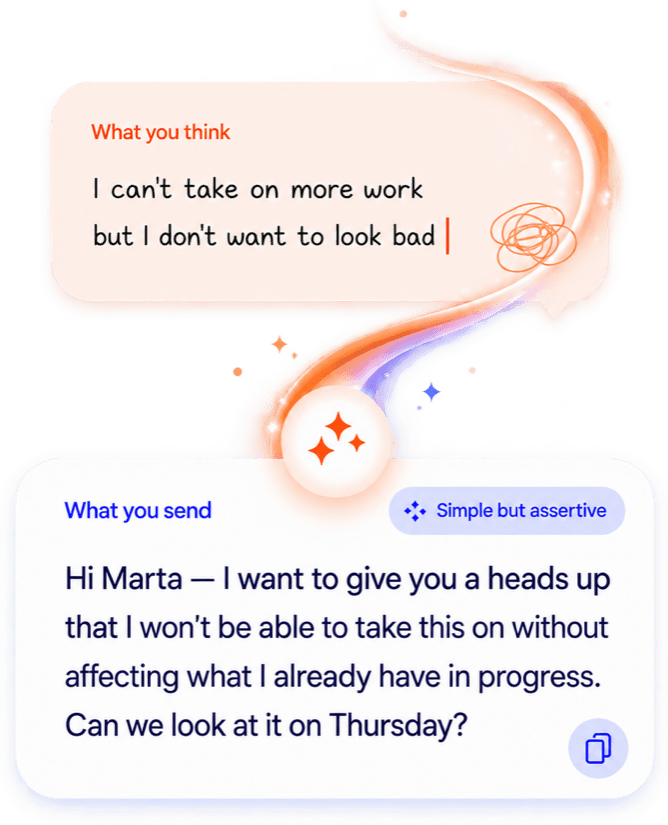
Start with a voice note, a screenshot, or half a thought. SAY works out the situation — who you're talking to, what you want out of it, what tone fits — and hands you a message you're actually comfortable sending.
 New session
The problem
You already do this. It just takes seven steps.
Everyone reaches for an AI assistant to write the hard message. Nobody enjoys the round trip it takes.
Today, with a generic assistant
0/7
Copy the conversation, or write out the initial thought.
With SAY
1/1
One place, and it already knows the situation.
You don't brief SAY before you're allowed to use it. You share what you have — SAY works out the rest and holds on to it, so the second draft doesn't start from zero.
- No prompt to write
- No context to re-paste
- Nothing to copy between apps
- Refine by tapping, not by re-explaining
How it works
Start anywhere. SAY does the rest.
Not a form. Not a fixed flow. One loop that gets sharper the more you share — and never forces you to finish.
01Understand
Tell SAY what’s going on
Type it, speak it, or share a screenshot — whatever’s easiest. SAY works out the situation, the audience, your intent and the outcome you want.
And Deliver loops back to Understand: their reply becomes the next piece of context, in the same session.
Refining
Change the tone without explaining yourself again.
Every chip is a piece of meaning fed back into the next draft — not a filter, not a canned preset. SAY writes it again knowing everything it already knew. Tap one and watch the message move.
Replying to a recruiter, six days late
Tap a chip →Draft
Hi Ana, sorry for the late reply — things have been busy. I'm definitely still interested in the role and would love to hear more about it. Let me know when would be a good time to talk.
What makes it different
Built around how you actually explain a mess.
Voice first
Speaking is the lowest-friction way to explain something complicated. Say it out loud, out of order, with all the detail — SAY sorts it out.
Any starting point
A thought, a screenshot, a PDF, a voice note, or a thread that's already gone sideways. SAY reads all of them the same way.
Context accumulates
Add a résumé, a follow-up screenshot, a correction — at any point. Understanding gets better instead of starting over.
The session never ends
Using a response doesn't close the conversation. Come back tomorrow when their reply lands and pick it up mid-thread.
Real conversations
Built for the messages you rewrite five times.
There's no screen per scenario. SAY works out yours — these are just the ones people reach for it first.

Two languages, natively
Latin American Spanish and English.
Not a translation layer bolted on afterwards. SAY writes in the language the conversation is actually happening in, with the register that language actually uses.
Your content
Yours stays yours.
What you share is used to understand your situation and write your message — not to train models on anyone else's behalf, and not shared with other users.

Questions people ask first
Isn't this just ChatGPT with a nicer skin?+
No. With a generic assistant you write the prompt, paste the context, and re-explain everything the next time. SAY holds the situation — audience, intent, tone, every screenshot you've added — so refining is one tap instead of another paragraph of instructions.
Do I have to type out my whole situation?+
No. Speak it, screenshot it, or drop in the PDF. SAY infers what it can, makes an easy-to-correct assumption when it's fairly sure, and only asks you a question when guessing wrong would actually cost you something.
Does SAY send messages for me?+
Never. SAY writes; you decide what to send, to whom, and when. Copy it, share it into any app, or listen to it out loud first.
What happens after I use a response?+
Nothing closes. The session stays open — when their reply comes in tomorrow, add it and keep going with all the context already there.
Where can I use it?+
SAY runs on mobile, in Spanish and English. Create your account here and open the app on your phone to start.

Stop rewriting the same message five times.
Say it once, badly, out loud. SAY takes it from there.
 No prompt to write · Español & English · Free to start